COA PDF Download Now Available
New Feature: Save and Print Your LegitApp Authentication Reports as PDF
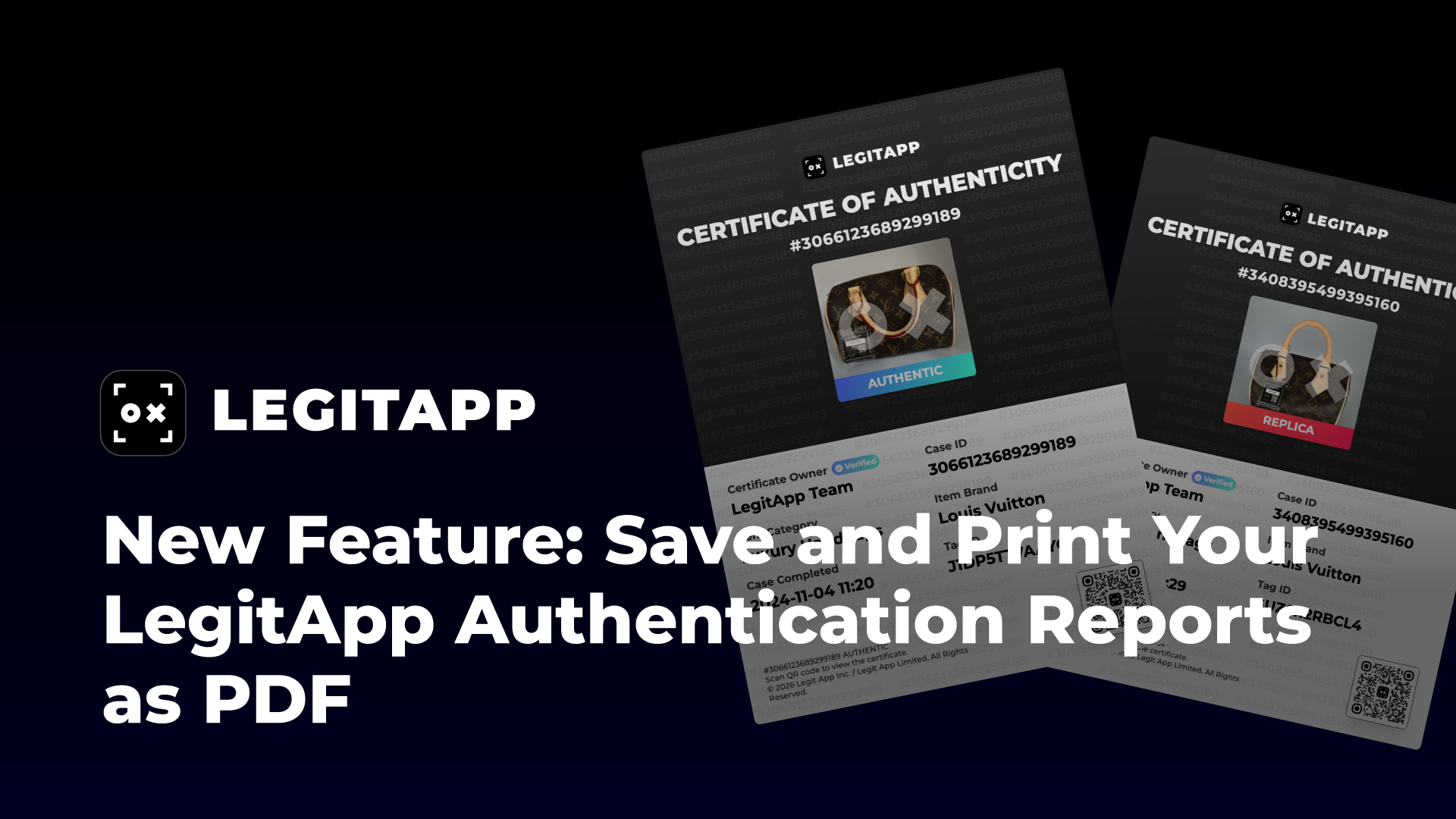
We are excited to announce a highly requested update to your authentication workflow: Official Certificate of Authenticity (COA) PDF Downloads.
While you have always been able to share your results via our Web Report or the Digital Card view, we know that many of our professional users and collectors need a more traditional, portable format for archiving and offline sharing.
Three Ways to Access Your COA
1. Web Report – A detailed online full report
2. Card View – A concise, shareable certificate
3. PDF Download – A downloadable official certificate
Your Certificate of Authenticity is now available in three formats. You choose the format that fits your workflow.
How to Download LegitApp COA PDF
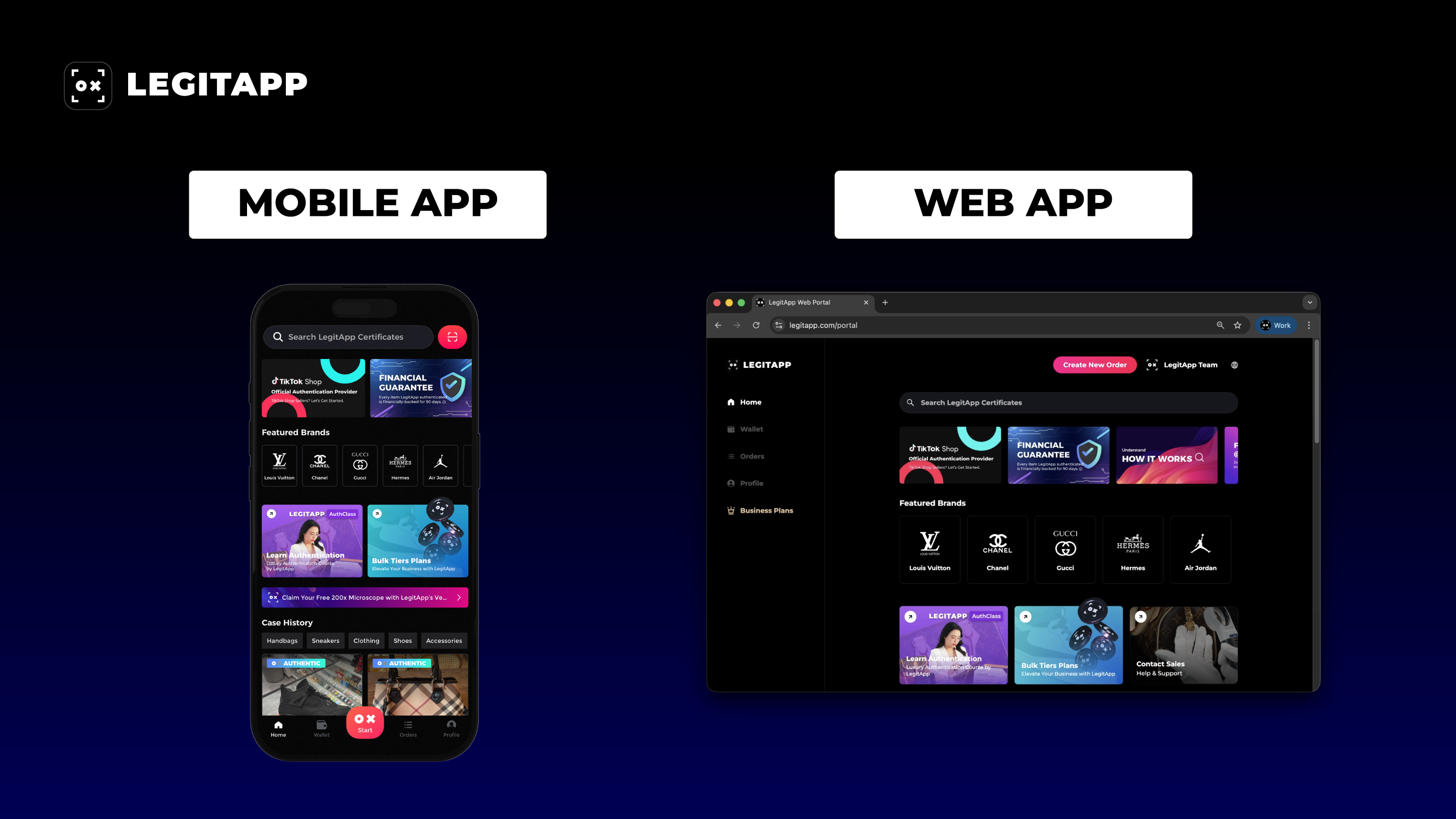
The process is seamless across both our mobile App and web App. Follow these three simple steps:
1. Open LegitApp:
Launch the mobile app or log in to the Web App.
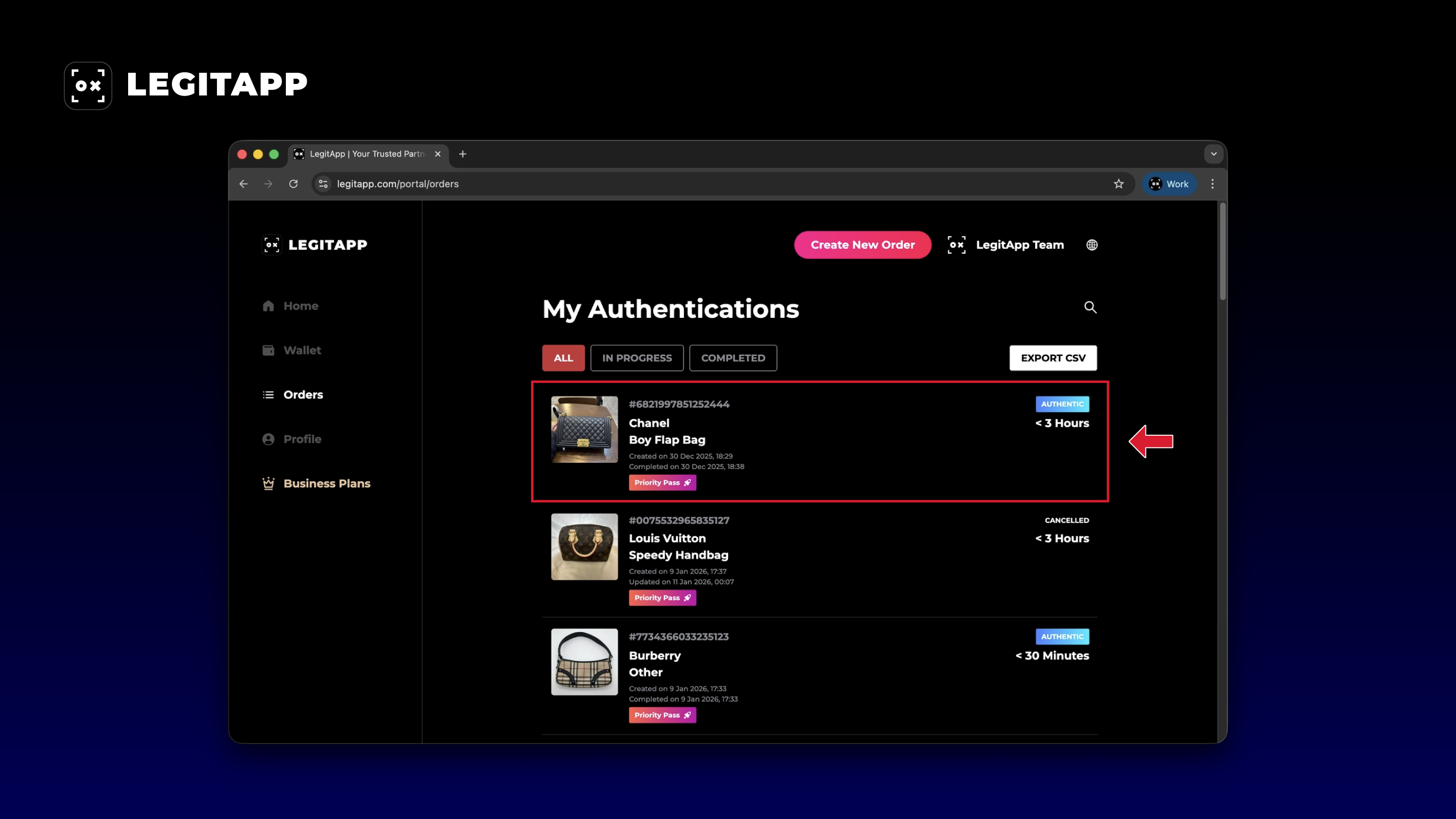
2. Find Your Case:
Navigate to the "Orders" tab and click on the specific case you wish to download.
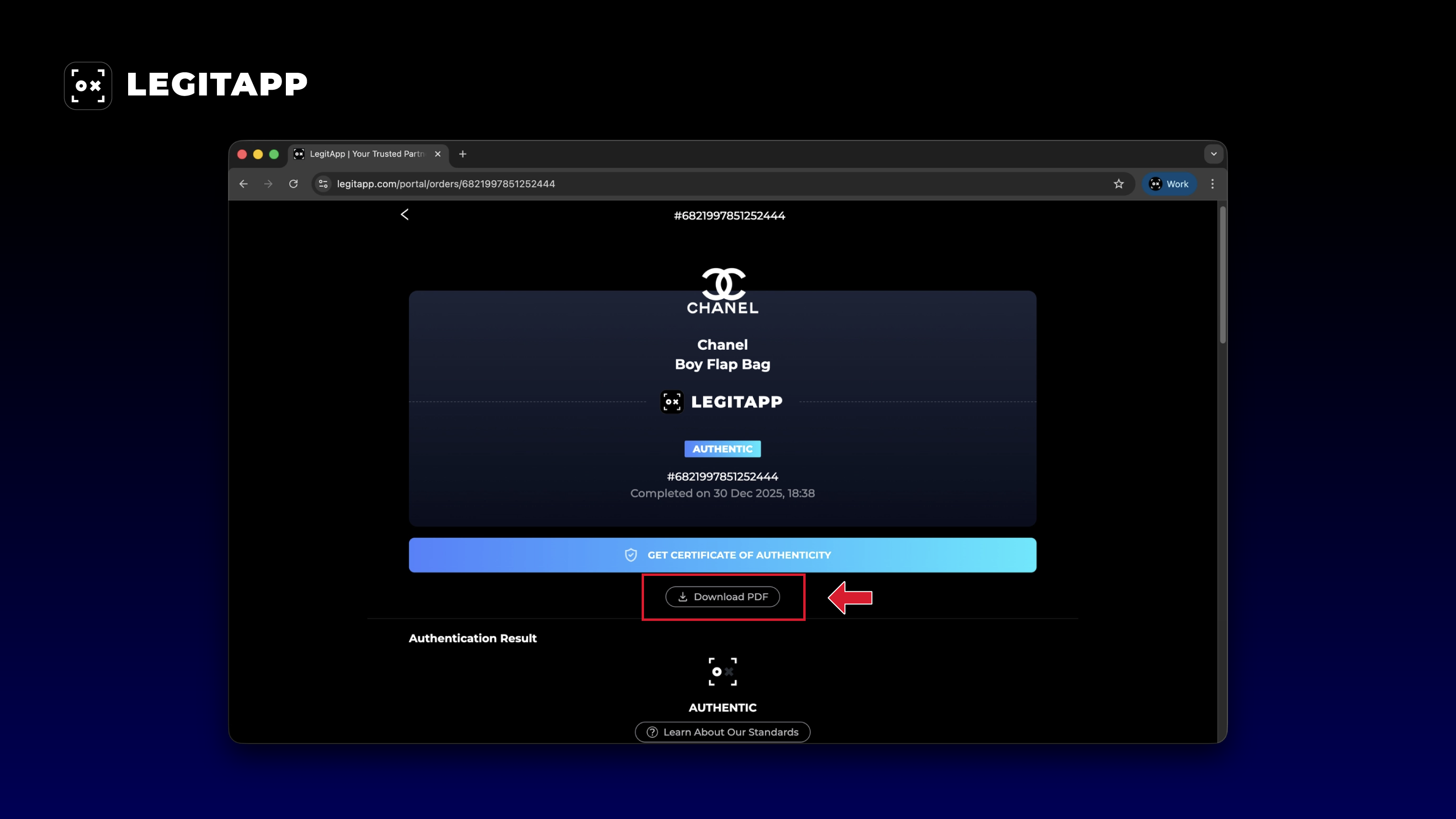
3. Save as PDF:
Click the "Download PDF" button.
Built for Business. Designed for Trust.
Whether you are preparing a physical shipment, filing your records, or providing proof of authenticity to a buyer, you can now generate a high-quality PDF version of your Certificate of Authenticity (COA) in seconds.
At LegitApp, we are continuously building tools that make authentication more practical, scalable, and business-ready — without adding complexity.
Update your app today and experience the upgraded certification process!