LegitApp Authentication Microscope | LegitApp | Your Trusted Partner in Luxury Authentication

LegitApp
🔬The LegitApp Microscope is now FREE! Join our Business Program, get verified, and purchase over $500 USD in tokens to unlock this exclusive benefit.Join Business Program to Get More Discounts

Precision In Every Detail

LegitApp Authentication Microscope

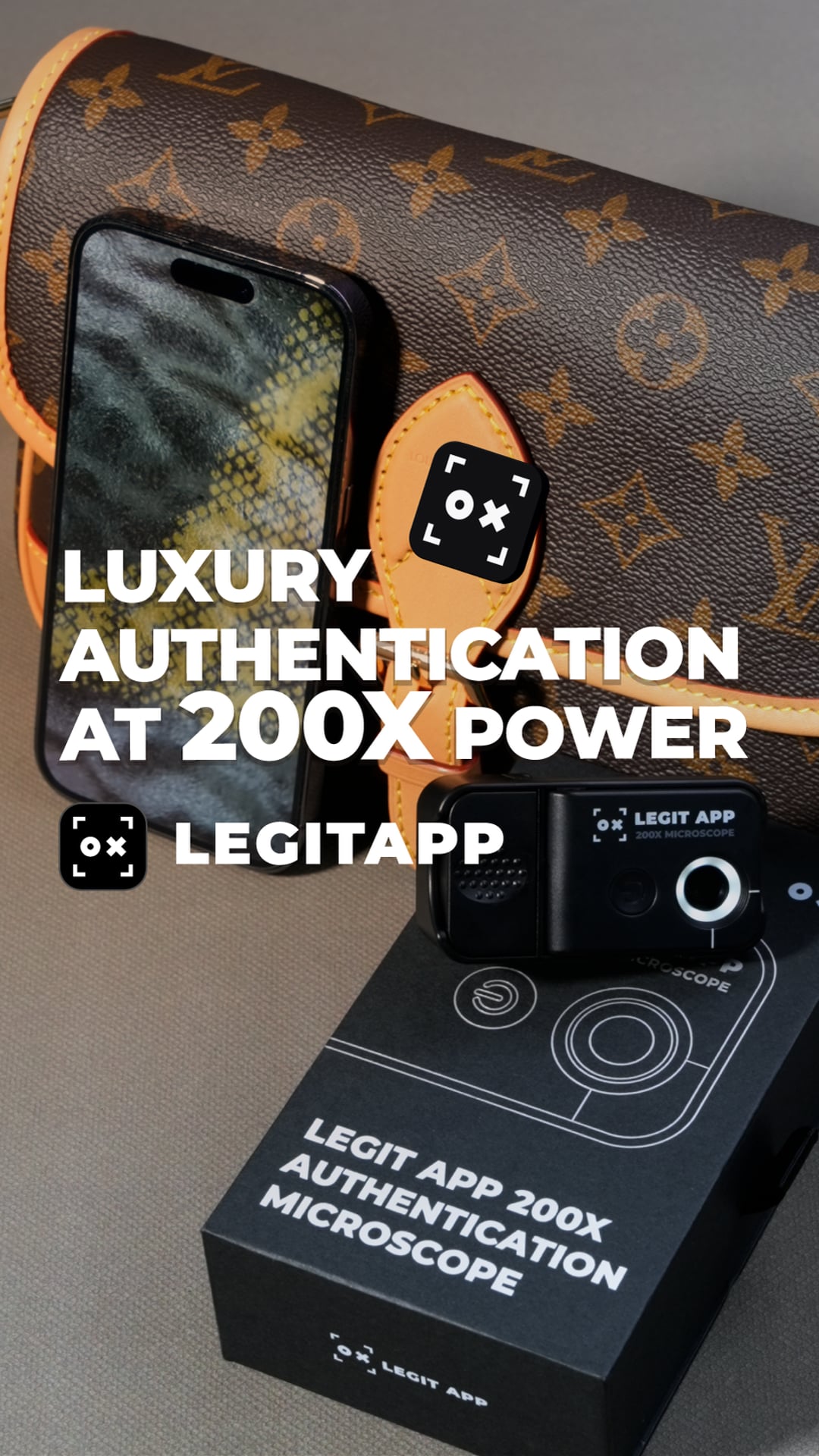
LegitApp partners with top optic factories to offer our custom authentication microscope, easily attachable to mobile phones for 200X magnified, crystal-clear photos. Perfect for examining intricate details like brand tag craftsmanship, it empowers users to authenticate luxury goods with confidence.
Video Thumbnail
Play Video
Inquiry About LegitApp Microscope

Mobile & Pocket-Sized Design

Clip it on and go. This compact microscope turns your smartphone into a powerful, portable inspection tool that fits right in your pocket.

Powerful 200x Magnification

Reveal hidden truths. See defining textures, weaves, and micro-features with stunning clarity. Capture detailed photos for instant analysis and verification.

Free for Verified Businesses

Join the fight against counterfeits. We provide our microscope at no cost to qualified businesses to make authentication accessible and secure for everyone.

iPhone Camera Guide

How to Use Your Microscope

Clip the microscope onto your iPhone's 1× Main camera for clear, correctly aligned photos.

Before you attach it

Hold your iPhone upright and look directly at the back, with the camera cluster in the upper-left corner. Find your model below and center the microscope over the listed lens.

iPhone 17

iPhone 17Lower lens
iPhone 17 Pro / Pro MaxLowest lens
iPhone Air / iPhone 17eOnly rear lens

iPhone 16

iPhone 16 / 16 PlusLower lens
iPhone 16 Pro / Pro MaxLowest lens
iPhone 16eOnly rear lens

iPhone 15

iPhone 15 / 15 PlusLower diagonal lens
iPhone 15 Pro / Pro MaxLowest lens

iPhone 14

iPhone 14 / 14 PlusLower diagonal lens
iPhone 14 Pro / Pro MaxLowest lens

iPhone 13

iPhone 13 mini / 13Lower diagonal lens
iPhone 13 Pro / Pro MaxLowest lens

iPhone 12

iPhone 12 mini / 12Lower lens
iPhone 12 ProUpper lens
iPhone 12 Pro MaxLower lens

iPhone 11

iPhone 11Upper lens
iPhone 11 Pro / Pro MaxUpper lens

iPhone X

iPhone X / XS / XS MaxUpper lens
iPhone XROnly rear lens

iPhone SE

iPhone SE (2nd / 3rd generation)Only rear lens
01

Use 1×

Set Camera to 1×. Do not use 0.5× or a telephoto zoom level with the microscope attached.

02

Turn Macro off

In Settings > Camera, enable Macro Control if available. In Camera, tap the yellow flower icon to turn Macro off.

03

Check alignment

Cover the listed lens at 1× in bright light. The preview should become dark or obscured.

04

Attach securely

Open the microscope cover, hold the clip button, align the circular opening over the Main camera, clamp it on, then close the cover.

05

Choose your light

Turn on the microscope LED and select white or UV light for the detail you are inspecting.

06

Get close and stay steady

Keep the camera at 1×, position the microscope very close to the subject, and hold your hands steady to maintain focus.
Inside The Box

What's Included

Get started immediately with everything you need for seamless authentication.
Microscope Icon

The 200x Microscope

Our high-powered, clip-on mobile microscope.

Leaflet Icon

Quick-Start Guide

A simple leaflet to get you up and running in minutes.

Video Guide Icon

Video User Guide

A detailed visual walkthrough.

LegitApp

Download Now

Start LegitApp Authentication

Experience the power of LegitApp's authentication technology. Download the app today.
App StoreGoogle Play